
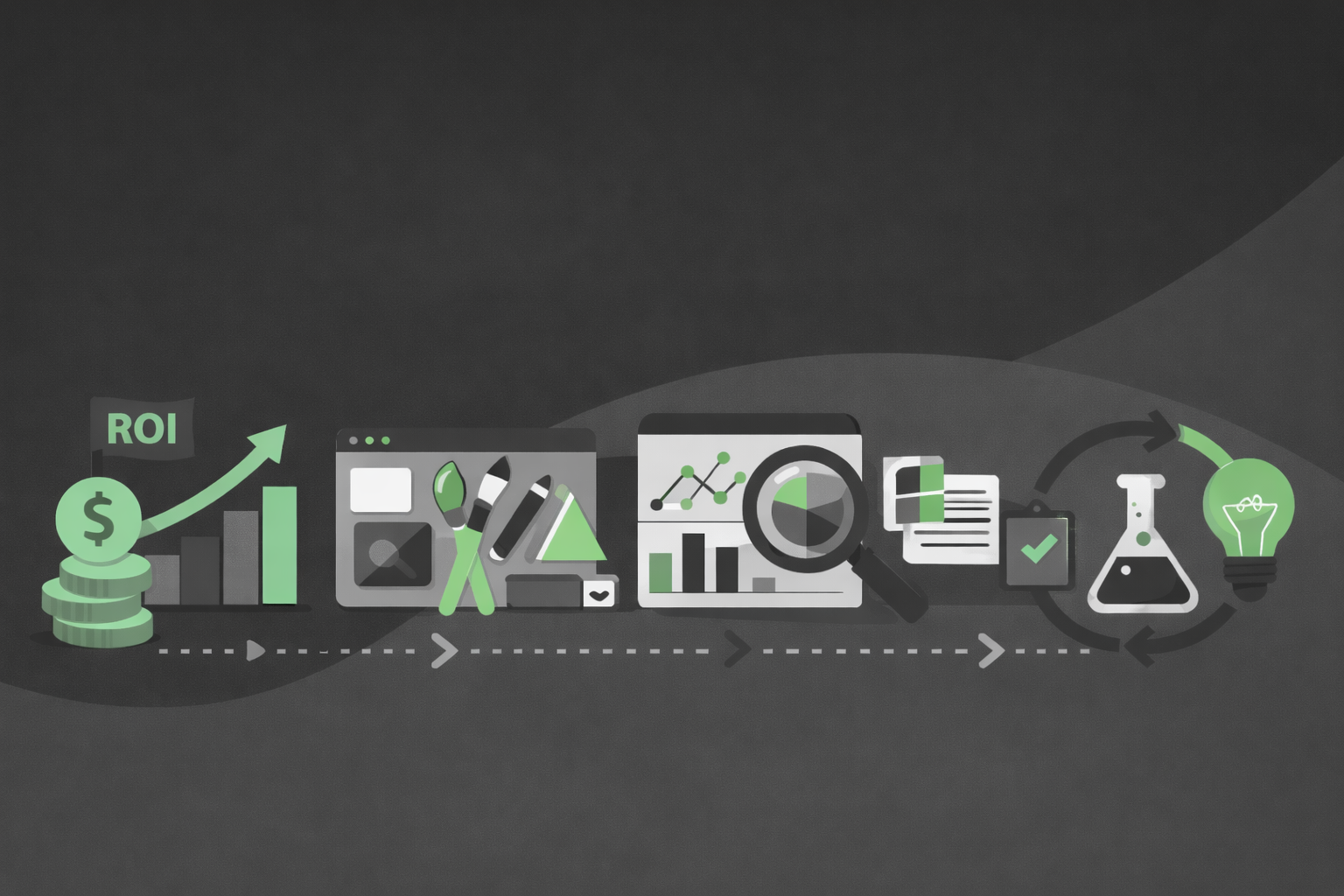

High level summary of methods, strategies, and steps from experiment identification through to measurement and beyond.
Phase 1: Opportunity identification
Ideas can come from anywhere and anyone. This stage focuses on systematically uncovering problems, pain points, and opportunities.
Dogfooding
How and why?
- Screenshot end-to-end journeys to understand the current state.
- Find experimentation opportunities.
- Find bugs and UX issues to improve.
Journey mapping
How and why?
-
Map the end-to-end experience.
-
Plot emotional state at each step.
-
Form problem statements and hypotheses at each “painful” step.
Qualitative insights
How and why?
- Use 1:1 interviews, surveys, and concept tests.
- Look for patterns in pain points, confusion, and unmet needs.
- Incorporate feedback from Customer Support, Sales, and Customer Success.
Quantitative insights
Examples
- Funnel drop‑offs (e.g. sign‑up → activation, activation → invite, free → paid).
- Under‑performing segments (plan tiers, geos, new vs existing customers).
- Usage gaps: important features with low discovery or repeat use.
Instrumentation is key here…
-
Instrument key events in the product (e.g. sign up, create, edit, share, invite, admin actions).
-
Define clear funnels (onboarding, first-value, upgrade), cohorts (plan, tenure, feature usage), and retention views.
Competitor & Market Research
But why?
-
Review how similar products solve comparable problems.
-
Identify best practices or gaps where Atlassian can differentiate.
-
Spot new patterns in the market (e.g. new onboarding paradigms).
Strategy & business goals
Some examples
-
Top‑down priorities (e.g. activation, retention, admin success, expansion).
-
Areas where even a small uplift has large business impact.
-
Bets that support longer‑term product or platform strategy.
Heuristic & UX reviews
Examples
- Expert reviews of key flows against UX and content heuristics.
- Spot inconsistencies, complexity, or unclear value propositions that can be iterated on and A/B tested.
Cross-functional ideation workshops
Example activities
-
Crazy 8s – 8 rapid sketches in 8 minutes to generate many variations.
-
How Might We (HMW) – turn problems into “How might we…” prompts for ideas.
-
Silent brainstorm + dot voting – individual idea generation, then group voting on favourites.
-
Impact / Effort mapping – plot ideas on a 2×2 to surface high‑impact, low‑effort bets.
Apply past wins or learnings to new areas
Aka. “Analogy” or “Pattern‑reuse”
What it is
Reusing a pattern that has already “won” in one part of the product and testing it in a new but similar area (e.g. a successful nudge, layout, checklist, or empty state).
When to use it:
-
You have clear past learnings from a previous experiment (what worked, for whom, and why).
-
You see a similar problem or funnel step in another surface (e.g. activation vs migration vs feature adoption).
How it works:
-
Start from the insight, not just the UI (e.g. “time‑boxed checklists help new admins feel guided”).
-
Design a variant that adapts that pattern to the new context.
-
Run an experiment to confirm whether the pattern generalises or needs tuning for this new audience/flow.
Why it’s useful:
-
Compounds value from previous experiments.
-
Faster to design and build than net‑new concepts.
-
Builds a library of reusable, proven patterns rather than one‑off wins.
Phase 2: ROI & sizing
Once ideas are in a backlog, estimate potential ROI for the strongest candidates so you invest in the right experiments.
Step 1: Confirm targeting
How?
-
Start from the problem and hypothesis – who actually experiences the problem (e.g. new org admins, evaluators, power users)?
-
Define inclusion criteria – product, surface, platform, plan, geo, language, tenure (e.g. “new Jira Cloud orgs in EN, on Standard+Premium, web only, first 30 days”).
-
Define exclusion criteria – edge cases to exclude (e.g. very large orgs, internal sites, certain regulated regions, existing betas).
-
Align with metrics – ensure the people you target are those who can move your primary metric.
Step 2: Calculate Minimum Detectable Effect (MDE)
Tell me more
-
MDE is the smallest change in a metric your experiment is designed to reliably detect.
-
Example: if MDE is +5% activation, you’re saying: “With this sample and duration, we can confidently tell if activation improves by at least 5%. Smaller changes may be too small to see clearly.”
It’s the “resolution” of your experiment:
-
Lower MDE → need more users/time but can detect smaller improvements.
-
Higher MDE → can run faster/with fewer users but only see bigger effects.
Choose a realistic MDE
-
Decide the smallest improvement that would be worth the effort and realistically detectable (e.g. +3–5% relative uplift).
-
Use this as the target effect size for:
-
Experiment design (sample size / duration).
-
Rough business impact sizing.
-
Align on experiment strategy…
First decide: Is it a Learning (to validate) vs Earning (to scale impact) experiment?
More on Learning...
Learning experiments
Primary goal: reduce uncertainty and deepen understanding (the “why”).
Focus:
- Customer problems, behaviours, preferences.
- Testing big assumptions early.
Success criteria:
- Clear insights and direction, even if metric impact is neutral or negative.
Traits:
-
Smaller samples, shorter duration.
-
More tolerance for risk and rough UX.
-
Often paired with qualitative methods.
More on Earning...
Earning experiments
Primary goal: move a business metric (the “what it earns us”).
Focus:
-
Conversion, activation, retention, expansion, efficiency.
Success criteria:
-
Statistically valid, positive impact on defined KPIs and guardrails.
Traits:
-
Larger samples, stricter experiment design.
-
Tighter constraints on risk and user impact.
-
Optimises a known solution rather than validating a big unknown.
More strategies…
10 more, to be precise
Here are some common experimentation strategies used in product teams:
A/B tests (controlled experiments)
-
Randomly split users into control vs variant.
-
Measure impact on key metrics (activation, conversion, retention, etc.).
Feature flags & gradual rollouts
-
Use flags to toggle features without redeploying.
-
Start with internal/staff/beta cohorts.
-
Ramp from small to full rollout while monitoring guardrails.
Experiment cohorts by segment
-
Target specific segments (new vs existing, plan tier, geo, admin vs end-user).
-
Compare heterogeneous treatment effects across segments.
Dogfooding / internal betas
-
Ship early to employees and close partners.
-
Collect qualitative feedback plus usage data before external rollout.
Holdback groups / long‑term control
-
Keep a small % of orgs permanently without the feature.
-
Validate long‑term impact and detect metric drift.
Multi-variant & factorial tests
-
Test multiple versions of copy/layouts/flows at once.
-
Or test combinations of factors (e.g. pricing layout × CTA copy).
Switchback / time-based experiments
-
For non-user-level randomisation (e.g. infra changes).
-
Alternate between control and treatment over time windows.
Experimentation in release channels
-
Ship via internal → sandbox → early access/beta → production.
Qual + quant paired experiments
-
Run an A/B test and parallel interviews or usability tests.
-
Use qual insights to understand why variants win or lose.
Combined experiments
-
Combine multiple smaller experiences that individually don’t reach significance to achieve significance together.
Customer testing
Validate
-
Use when the concept is new/novel, directionally unclear, or you need more evidence behind a decision.
-
Get real customer feedback via usability tests, interviews, or other methods.
Define success and guardrail metrics
How?
Start from the problem & hypothesis
Ask: “If this works, what changes in user behaviour or business outcome?”
-
Pick one primary success metric that directly reflects that (e.g. org activation, setup completion, invite-sent, upgrade rate).
Make the primary metric specific and time‑bound
e.g. “Increase activated orgs within 14 days” or “Increase admins who complete setup checklist in first 7 days.”
-
Ensure the experiment audience can actually move this metric.
Add guardrail metrics to protect user experience
Choose 2–4 metrics you don’t want to hurt, e.g.:
-
Performance: latency, error rates.
-
Engagement elsewhere: completion of adjacent key flows.
-
Support/risk: support contacts, abuse, cancellations.
Define clear red lines (e.g. “do not increase error rate by >X% vs control”).
Write them down in the brief
For each:
-
Primary success metric: what it is, how it’s calculated, target uplift.
-
Guardrails: what they are and what counts as breach → roll back/pause.
ROI – Go / No Go decision
How to decide?
This is about estimating likely impact before investing heavily.
Start from the funnel and baselines
-
Pick the step to improve (activation, invite-sent, upgrade).
-
Document:
-
Volume hitting that step per period.
-
Current conversion rate.
-
Translate uplift into impact
Combine:
-
Volume.
-
Baseline rate.
-
Target uplift (MDE).
Estimate:
-
Extra activations/invites/upgrades per period.
-
Rough dollar impact if you have ARPU/LTV or a proxy.
Compare impact vs effort
Plot ideas on impact vs effort:
-
High impact / low–medium effort → strong experiment candidates.
-
Low impact / high effort → deprioritise or convert to small learning experiments.
Use sizing to shape experiments
If opportunity is small:
-
Accept a higher MDE or lighter-weight/learning-focused experiment.
If opportunity is large:
-
Invest in better instrumentation.
-
Design a stronger, longer-running experiment with lower MDE.
Phase 3: Design development
Translate opportunity and sizing into clear hypotheses and robust designs.
Tighten up Hypothesis & Problem Statement
What to look out for
Are you solving the right problem, with clear success measures?
A good problem statement should…
Aim for 1–2 sentences that are:
-
User‑anchored – “For which user, when, doing what?”
-
Evidence‑based – reference how you know (funnels, interviews, etc.).
-
Impact‑connected – tie to the metric that matters.
Template:
“For [who], when [situation], [problem] happens, which leads to [negative outcome / metric impact], as seen in [data / research].”
A good hypothesis looks like…
Make it specific, testable, and metric‑tied:
-
If we do X… then Y will happen… measured by Z… for W group.
-
Example: “If we surface a guided setup checklist on the admin home, then more new admins will complete critical setup tasks, measured by +5% relative uplift in ‘activated orgs’ within 14 days, for new Jira Cloud orgs in EN on Standard+Premium.”
-
Checklist:
-
Clear change: one primary idea.
-
Clear target audience: matches targeting.
-
Clear primary metric and direction: “increase/decrease X by ~Y%”.
-
Optionally mention important guardrails.
Simple hypothesis template:
“If we [change] for [who], then [metric] will [increase/decrease] by ~[X%], because [reason / insight from qual/quant].”
Dogfood current state
Know what you're working with
-
Understand the details of the current experience.
-
Ensure you’re designing for what actually exists.
-
Avoid out-of-date design files.
Competitor research
What do users expect?
-
See what others are doing and what “good” looks like.
-
Understand customer mental models and expectations.
Explore concepts
Good, Better, Best – go broad!
- Investigate and uncover technical constraints.
- Explore Good, Better, Best options.
- Advocate for the “Best” direction where feasible.
Ai Prototype
Build it, experience it
-
Iterate quickly in tools like Replit or Figma Make.
-
Learn how the experience feels in code.
-
Create an artefact to centre discussion.
Socialize the work
De-risk and get buy in
-
Share across functions and squads to build alignment.
-
Check for blockers or overlapping experiments in the same space.
-
Use 30/60/90 check-ins.
-
Take work to Design Crit for feedback and ideas.
-
Take it to Product Design Jam with senior leadership for visibility.
Customer testing
Validate
-
Use when the concept is new/novel, directionally unclear, or you need more evidence behind a decision.
-
Get real customer feedback via usability tests, interviews, or other methods.
Quality checks
High-level steps
-
Complete Proud To Make Scorecard and get stakeholder sign-off.
-
Ensure components and tokens adhere to brand guidelines.
-
Factor in accessibility requirements.
Build QA
High-level steps
-
Visual and functional QA of implemented designs.
-
Work closely with the Feature Lead.
-
Pivot as needed if new technical challenges appear.
-
Provide feedback to get implementation as close as possible to the intended design.
Phase 4: Launch & post-analysis
Engineering implements and runs the experiment; teams monitor, analyse, and decide next steps.
Implement experiment behind a flag
High-level steps
-
Add feature flags for control and variants and wire into code.
-
Ensure the control experience is explicitly defined.
Wire up analytics & experiment exposure
High-level steps
-
Emit “experiment exposure” events with name, variant, and user/org ID.
-
Add/verify events needed for primary and guardrail metrics.
Configure targeting & bucketing
High-level steps
-
Encode inclusion/exclusion rules from the brief.
-
Double-check random, consistent bucketing (same user/org → same variant).
Run pre-flight checks
High-level steps
Test locally and in staging/dark environments with flags on/off.
Verify:
-
Correct users see the variant.
-
Events fire with correct properties and metadata.
-
No obvious performance or error regressions.
Set up rollout plan
High-level steps
-
Agree initial rollout percentage and ramp schedule with PM/analytics.
-
Document rollback plan and ownership for guardrail breaches.
Launch and monitor
High-level steps
-
Enable the flag for the agreed cohort and percentage.
-
Monitor guardrail dashboards (errors, latency, major flows) especially early.
-
Coordinate with PM/analytics on reaching required sample size and duration.
Post analysis
High-level steps
1. Confirm experiment quality
Confirm sample size and run time match the plan (no early stopping).
Verify targeting and exposure were correct.
Ensure primary and guardrail metrics are populated for control and variants.
2. Analyse primary & guardrail metrics
Compare control vs variant on the primary success metric (uplift, p‑value, confidence interval).
Check guardrail metrics for regressions.
Inspect key segments (new vs existing, plan tiers, geos) for where effects differ.
3. Interpret the results
Decide: win, lose, or inconclusive vs original hypothesis and MDE.
For learning/combined experiments, emphasise what was learned, not just “did it win?”.
Use qualitative inputs (feedback, tickets, interviews) to explain why results look the way they do.
4. Make a decision
Align with PM/Design/Eng on outcome:
-
Ship – roll winning variant to 100%.
-
Iterate – apply learnings and design follow-up experiments.
-
Stop – roll back to control and deprioritise further work here.
Re-check ROI: does measured impact justify further investment?
5. Document and share
Capture a short write‑up:
-
Problem statement and hypothesis.
-
Targeting, metrics, key results.
-
Decision (ship/iterate/stop) and rationale.
-
Follow‑up actions or next experiments.
Link analysis back to Jira issues and the experiment brief in Confluence so others can find and reuse learnings.
Close out
High-level steps
After analysis, either:
-
Roll out winning variant to 100%, or
-
Roll back to control and clean up dead code/flags.
Link experiment, rollout decision, and Jira issues for traceability.
Phase 5: Iterate?
When?
- Inconclusive results – effect in the right direction but not statistically significant, or under‑powered sample.
- Mixed results – some segments win while others are flat/negative.
- Clear UX or tech issues – evidence of problems that likely suppressed impact.
- Learning but not earning – strong insights but limited metric movement; clear next idea to test.
- Small win worth improving – modest uplift with room to compound gains.
How?
Refine the hypothesis – narrow based on what you learned (specific step or segment).
Tighten the design – fix friction, clarify copy, simplify flows, amplify the value prop that resonated.
Adjust targeting – focus on segments where the variant did best; exclude clear non-performers.
Improve instrumentation – add missing events or funnels to better explain behavioural changes next time.
Design a follow‑up test – treat it as a new experiment with updated statement, hypothesis, metrics, and MDE.
Sequence your bets – stack small, focused follow-ups instead of one giant all‑in variant.
Run qual research – talk to customers who saw the experiment; understand their perspective.
Framing:
“Based on what we learned in Experiment X, our next iteration is Experiment Y, which targets [segment], changes [specific part of the experience], and aims to move [primary metric] by ~[X%].”
